


Saved on your Mac
Sheets save locally. No account. No sheet sync. No app analytics.
 Yuzu SumBeta · v0.5.0
A notepad calculator for Mac. Type a sum on each line. See the answer beside it.
macOS 14 or later · Apple silicon & Intel
Choose a sheet. Click an answer to copy it. These English and Vietnamese examples come from the app’s engine, not a live calculator in your browser.
Interactive example · real engine results
Number style: vi · vi: 1.000,5 · en: 1,000.5
Sample rates, not live quotes · 24/10/2026 02:03 GMT+7
Click an answer to copy it
Write 500k or 1tr2. Add a label before a colon. Reuse a value with a variable. Your sheet saves on your Mac as you type.
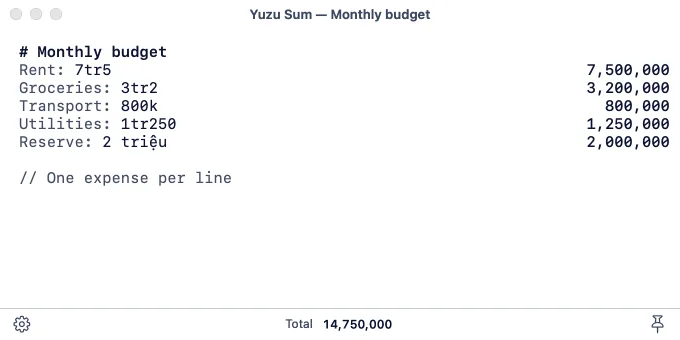
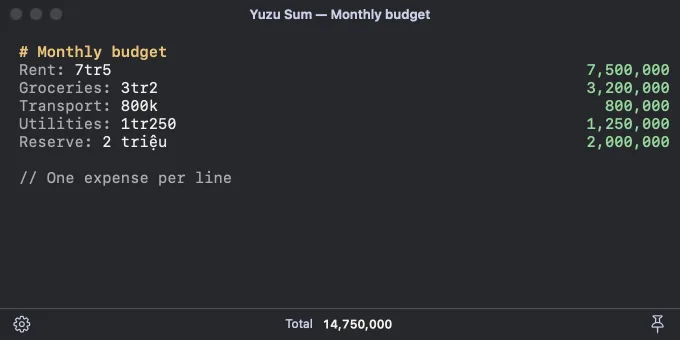
Add tax. Take off a discount. Find a deposit. Give a number a name and use it again on the next line.
Convert length, weight, temperature, data and time. Vietnamese units such as sào work too. Different kinds of units stay separate.
VND conversions use Vietcombank quotes when the bank supports the pair. Transfer is the default. Type mua or bán to choose buy or sell. Other pairs use mid-market rates through USD.
Sample · Vietcombank · 24/10/2026 02:03 GMT+7. Saved snapshot, not today’s quote. The app can fetch newer rates.
Rates by Exchange Rate API (exchangerate-api.com) · Vietcombank public feed
Sheets save locally. No account. No sheet sync. No app analytics.
The app fetches Vietcombank and ExchangeRate-API rates. Sparkle checks for app updates. Your sheets are not sent. Saved rates still work offline.
Press ⌥Space to show or hide Sum. Change the shortcut in Settings. Pin the window to keep it above other apps. Esc hides it.
| Action | Shortcut |
|---|---|
| Show or hide Sum | ⌥Space |
| Hide the window | Esc |
| New sheet | ⌘N |
| Copy the current result | ⇧⌘C |
| Copy the page total | ⇧⌘T |
No. Yuzu Sum is a standalone Mac app. It has its own window, shortcut and updates.
VND pairs supported by Vietcombank use the bank’s transfer rate by default. You can choose buy or sell. Other pairs use ExchangeRate-API mid-market rates through USD. Converted results show the source and time.
Yes. Sheets and calculations work on your Mac. Currency conversions use the last saved rate, or the bundled snapshot before the first update. Check the rate’s timestamp before using it.
Yuzu Sum requires macOS 14 or later. It runs on Apple silicon and Intel Macs. The download is a signed, notarized DMG with app updates through Sparkle.
Download the standalone Yuzu Sum beta for Mac. Open the DMG and move Yuzu Sum to Applications.
macOS 14 or later · Apple silicon & Intel